

Work in progress · explore OurNestia and build with us
A couple laughing together while making plans at home
A little more together

Our space.Our life.

The shared notes and calendar app for your life together.

The little things. The life we share.♡
The OurNestia app home screen showing notes and shared modules
App screenshot · September 2026
Notes

Everything you wantto remember.

Your ideas, lists and plans. Choose what you would like to explore.

Write and insert

From one line to a clear document.

Headings and formatting organise your note.

OurNestia Example view

Our weekend

Share
H1 BIUS
Saved

A little time for us.

A weekend by the sea. A walk, something good to eat and no other plans just yet.

Before we leave
Useful to keep together

Arrival from 15:00. Collect the key at reception.

One note for the details you both need.
Based on the current app · recreated view with sample data

App example with fictional data · simplified for the website
Insert & format

From one line to a clear document.

Start with text. Give each topic an H1, H2 or H3 heading and turn things to do into a checklist. The Insert panel brings the building blocks together, from photos and links to tables.

  • Headings and formatting organise your note.
  • Tick off a checklist right inside the document.

Try a checkbox in the document.

Explore every capability
Shared calendar

Make plans.Make time for us.

From your month to the details of a day. See how it works.

Start with the overview

What does your month look like?

Move from the month to a selected day.

OurNestia Example view

Calendar

CalendarPetsHousehold
‹October 2026›
MonTueWedThuFriSatSun
Selected: Saturday 24 October

Choose a day to view its note.

Selected day

Saturday 24 October

Based on the current app · recreated view with sample data

App example with fictional data · simplified for the website

Month view

What does your month look like?

The month calendar brings your days together. Choose a date to take a closer look. Coloured indicators and note markers help you spot days with plans or extra information.

  • Move from the month to a selected day.
  • The app also lets you switch to a week view.

Choose a day. Its date appears below the calendar.

Explore every capability
RecipesPremium

From inspirationto cooking together.

Find, save and cook something good together. Explore your cookbook.

Find something good

A cookbook that becomes yours.

These three inspiration dishes come from the app.

OurNestia Example view

Recipes

3 sample recipesGroceries
Recipe notes

Your recipes

Search by title, label or ingredient.

Actual inspiration recipes from the app. Open a recipe or save a favourite in this example.

OurNestia inspiration · example
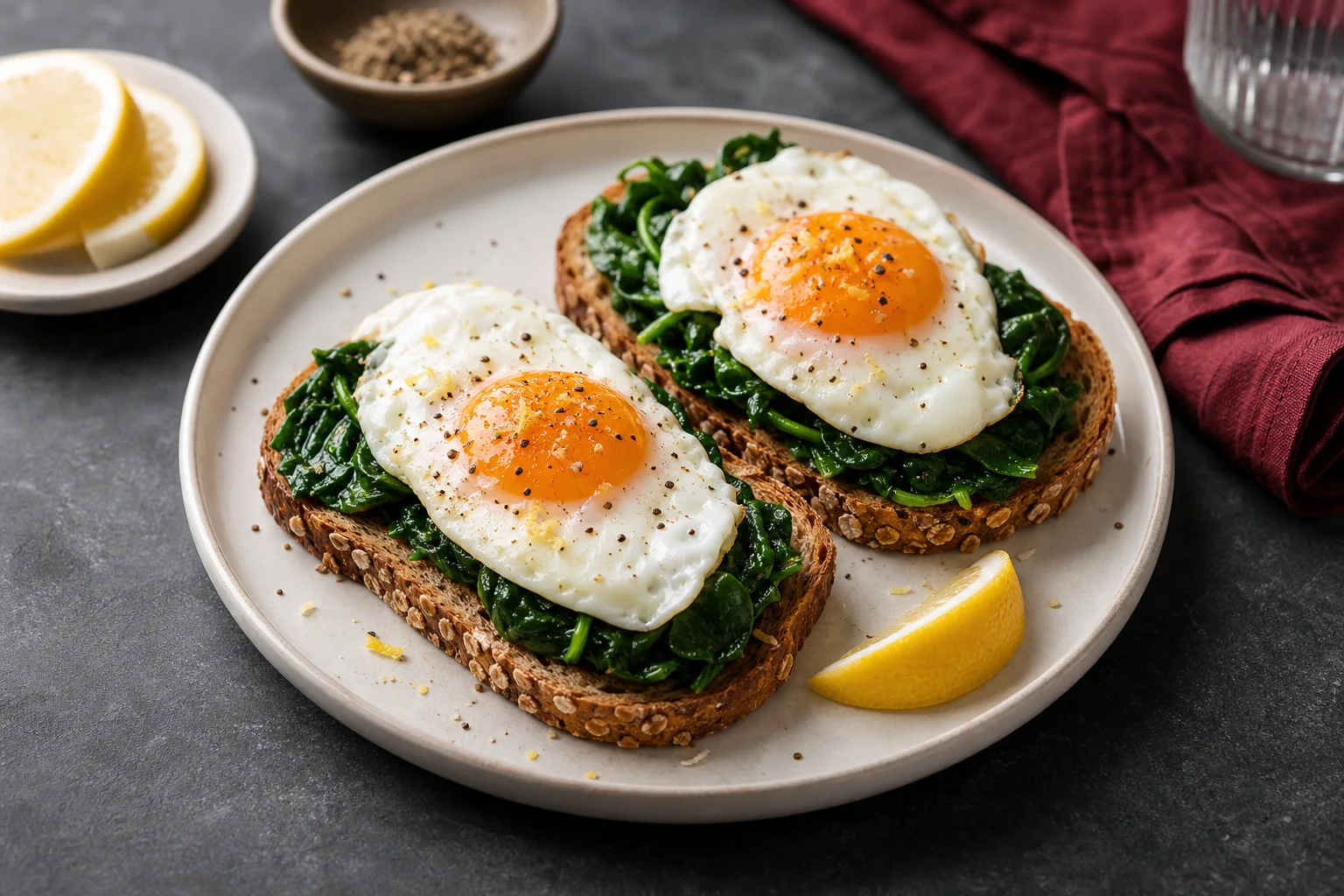
Green egg toast

Green egg toast

Crisp toast with soft eggs, spinach and lemon.

15 min · 2 servings

Ingredients

Method

  1. Toast the bread.
  2. Briefly cook the spinach in oil and season with lemon.
  3. Fry or poach the eggs and serve on the toast with the spinach.

This website example uses recipes and images from the app’s inspiration library. Changes are not saved to your Space.

OurNestia inspiration · example
Crunchy chickpea wrap

Crunchy chickpea wrap

A fresh lunch wrap with spiced chickpeas and yoghurt sauce.

22 min · 2 servings

Ingredients

Method

  1. Fry the chickpeas with oil and paprika until crisp.
  2. Grate the cucumber and mix with yoghurt.
  3. Fill the wraps with lettuce, sauce and chickpeas.

This website example uses recipes and images from the app’s inspiration library. Changes are not saved to your Space.

OurNestia inspiration · example
Warm apple oats

Warm apple oats

Creamy oats with cinnamon, apple and a spoonful of yoghurt.

12 min · 2 servings

Ingredients

Method

  1. Dice the apple.
  2. Gently cook the oats, milk, apple and cinnamon for eight minutes.
  3. Divide between bowls and top with yoghurt and nuts.

This website example uses recipes and images from the app’s inspiration library. Changes are not saved to your Space.

Based on the current app · recreated view with sample data

App example with fictional data · simplified for the website
Your cookbook

A cookbook that becomes yours.

Keep your recipes in one place. Photo cards help you recognise what you feel like cooking. Search by title or ingredient, choose a category or view your favourites.

  • These three inspiration dishes come from the app.
  • Open a card to view its ingredients and method.

Try searching for chickpeas or save a favourite.

Explore every capability
How it works

A shared place.Three small steps.

A little setup. A place that grows with you.

01Our place

Create your Space

Open the app and create the shared place for your life together.

02You + me

Invite your partner

With two equal partners, your Space becomes a place that belongs to you both.

03A little, every day

Start with something small

A note, a plan, an idea for later. Choose the modules that fit your life.

Good to know

A few thingsyou might wonder.

Something else on your mind? We are happy to help.

All frequently asked questions
Who is OurNestia for?

OurNestia is made for adult couples who want a shared place for their notes, plans and everyday organisation. Your Space brings those little things together.

How do I invite my partner?

Create your Space and invite your partner through the invitation options in the app. A shared Space is designed around two equal partners.

Which features are Premium?

Groceries, recipes, movies and series and family access are Premium. Notes, outings and dates, household tasks, pets and ordinary quizzes are Basic modules. See the app for the current offer.

Can I format and share notes?

Yes. Use H1, H2 and H3 headings, formatting shortcuts and checklists. Share a note through its sharing options and review who gets access.

Can quiz friends see our Space?

Friends access their own quiz groups. They do not receive access to your shared notes or calendar.

Does OurNestia work offline?

After a successful online start, supported web/PWA pages can open offline. Supported note, shopping, calendar and task changes are saved locally for later sync. AI, uploads, external connections and new friends lobbies need internet. Native cold-start behaviour depends on the device and app version.

You. Me. Us. ♡

Where our lifecomes together.

Your notes. Your plans. Your next little adventure.

Start together